How you receive access
All legal guardians with parental responsibility will automatically be given access to Arbor using the email address held on the school system.
Accounts are created automatically when parent/carer details are added to our system.
Please allow up to one week after your child starts at Cathays High School for your Arbor account to become available. After this time, you can sign in using your email address, even if you have not yet received an Arbor welcome email.
Once your account is available, you can set your password by following the steps below.
If you believe you should have access but are unable to log in, please contact us at schooladmin@cathays.cardiff.sch.uk so we can check your details are recorded correctly.
How to access the arbor parent portal
- Go to:
- Click “Forgot your password?” just below the login button
- Enter your email address and follow the instructions to set your password
- once you have done this use the link to login with your email and password
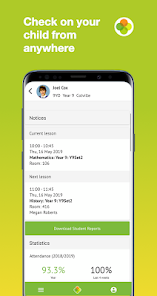
Using the Arbor App
- Download the Arbor App from the App Store (iPhone) or Google Play Store (Android)
- Open the app and enter your email address
- Select our school (if prompted) and enter your password
- Accept the Terms & Conditions and confirm your child’s date of birth
Enable Notifications (Important)
We strongly recommend enabling push notifications to receive alerts for new messages.
- Android: Settings > Apps > Arbor > Notifications
- iPhone (iOS): You will be prompted when opening the app — select Allow
If notifications are not enabled, you may miss important updates. Key messages will still be sent by email.
Using a computer
You can also access the Parent Portal through any internet browser on a laptop or desktop computer using the same login page above.